05 May 2013

My GrannyBook Raspberry Pi Emerges

At the first MakerCamp on the Gold Coast we were asked to suggest a project we were working on. I suggested I would like to make a GrannyBook based on the Raspberry Pi, the $35 computer I estimated would do the job. Loosely defined, my idea is for a very cheap device, under $100, that would allow your granny to turn her old Windows XP box into something akin to a Chromebook. In other words any person with an obsolete PC that still works could throw out their old processor box and replace it with a small device that would boot straight to a browser within which all normal use of a computer could be conducted - a very cheap and easy cloud computer.

I duly purchased a $60 the Raspberry Pi kit from Steve at Gold Coast Techspace which included the Raspberry Pi board, an SD card completely configured with the OS and an HDMI cable. On eBay Australia I bought a clear acrylic case for less than $10. To use my existing monitor I had to add a $5 HDMI to DVI adapter. Finally with another eBay purchase from the shop that supplied the case I added a $10 Comfast Wi-Fi adapter rather than use the built-in Ethernet port. In total this amounted to a $85 investment.

After plugging in a USB keyboard I added a standard non-powered USB adapter to take a USB mouse and the Comfast Wi-Fi adapter. Then came the big moment of the first boot and true to form the RPi within about 15 seconds opened in the desktop having determined the monitor resolution perfectly. To my surprise and delight there were drivers present for the Comfast Wi-Fi adapter and I simply had to login to my home Wi-Fi network.

The on-board Midori browser fired up perfectly and I logged in to my Google account. Thereafter I was in the usual Google wonderland with access to email, calendar, sites, blog, and all the other goodies - in other words a good approximation to a Chromebook.

The inevitable downsides are present:

  • the less than lightning speed of the boot sequence compared to a real Chromebook
  • the pauses as web pages are loaded in the browser although performance overall is very adequate
  • the lack of Google Chrome and associated plugins, but further investigation might solve this
Nevertheless for a very small investment and an hour of my time I am well on the way to a viable GrannyBook. More anon.

30 April 2013

Activity 24 Considering open learner literacies #h817open

The list of literacies provided by Jenkins et al in their occasional paper on digital media and learning is duplicated here. I have marked in bold those literacies I feel are particularly appropriate to open online learning, although it seems obvious all literacies in the list are beneficial at one level or another.


  1. Play – the capacity to experiment with one’s surroundings as a form of problem solving
  2. Performance – the ability to adopt alternative identities for the purpose of improvisation and discovery
  3. Simulation – the ability to interpret and construct dynamic models of real-world processes
  4. Appropriation – the ability to meaningfully sample and remix media content
  5. Multitasking – the ability to scan one’s environment and shift focus as needed to salient details
  6. Distributed cognition – the ability to interact meaningfully with tools that expand mental capacities
  7. Collective intelligence – the ability to pool knowledge and compare notes with others toward a common goal
  8. Judgement – the ability to evaluate the reliability and credibility of different information sources
  9. Transmedia navigation – the ability to follow the flow of stories and information across multiple modalities
  10. Networking – the ability to search for, synthesise and disseminate information
  11. Negotiation – the ability to travel across diverse communities, discerning and respecting multiple perspectives, and grasping and following alternative norms.
I note that in previous posts in this series I have referred to Judgement as significance and Collective Intelligence as curation, but the intent of my terms exactly aligns with Jenkins et al. In my post for activity 22 I addressed at length the need for PINC tools and literacy to support collective intelligence. Judgement is much more difficult and complex. Advanced search skills allow sophisticated discovery of resources, but determining reliability and credibility is highly specific to the unit of study being undertaken. Obviously the skill and experience of instructors plays a major role but they must be able to codify these measures that I collectively call significance. A set of rules and guidelines must be produced that students can follow to produce consistently a degree of judgement to be relied upon.

Appropriation has a degree of overlap with transmedia navigation in my view as following story flow gives the necessary context to the media content being appropriated. Significant media literacies are needed to take an assumed finished product, itself the result of potentially many hours of production, and make meaningful changes so as to reuse the product in a new context. Skills might include rewriting, diagramming and charting, image manipulation and animation, and audio and video editing. It is no wonder that media courses for these skills are in high demand. It is also not strange that a typical university teacher lacks this valuable combination of skills.

Distributed cognition requires the use of outliners, mind maps and other topic association tools. Even if the tools are well designed and straightforward to use a significant trail of experience is needed to extract benefit from these tools. If lecture notes and academic journal papers are any indication then much more experience is needed.

I would think that networking skills are best acquired by judicious use of a variety of social networks used with a degree of focus. Careful selection of 'friends' depending on your perceived quality of their information flow must be acquired over time. This same strategy can be employed on the ubiquitous forums that are usually present for all MOOCs.

Negotiation defined here as the ability to cross disciplines and appreciate different perspectives is a necessary and underrated literacy. Little attempt at teaching this in the walled gardens of university disciplines means there is a definite niche for open education to fill.

This activity has caused me to think and reflect as much as any previous activity in this course. My thanks go the instructor for setting this task.

Jenkins, H., Clinton, K., Purushotma, R., Robison, A. and Weigel, M. (2009) Confronting the Challenges of Participatory Culture: Media Education for the 21st Century, Chicago, IL, The MacArthur Foundation. Also available online at http://digitallearning.macfound.org/ atf/cf/ %7B7E45C7E0-A3E0-4B89-AC9C-E807E1B0AE4E%7D/JENKINS_WHITE_PAPER.PDFExternal link  (accessed 15 November 2012).

Activity 22 An open education technology #h817open

I have mentioned before in this series (activity 19)  the need for students to be able to collect together links to the resources given to them on a course merged with those resources discovered by themselves. Let's refer to this tool category as PINC (PLN Information Node Curation). A PINC tool, most usefully a cloud app, will have these features:

  1. a central repository of information nodes (links and documents) culled over a lifetime of learning; by definition this should be capable of:
    • information node insertion/edit/deletion
    • convenient searching
    • export in convenient formats
  2. a personal tagging/labeling system to structure what is likely to be a very large collection
  3. the ability to share any or all information nodes (make public and maybe more targeted sharing)
  4. quickly accessible over the Internet from a wide variety of devices to include smartphones, tablets, laptops, even wearable devices; some devices will allow local storage for off-net access
  5. automatic backup and ability to download all information for archiving purposes
In my experience some existing apps come close to these PINC requirements although none meets them completely:
  • Evernote: a widely used app/service that can store a very large range of information types and now has easy sharing
  • Diigo: primarily a link repository that took over and expanded upon the early now reincarnated Delicious service; this repository is only useful if all information nodes are resource links
  • Mendeley: primarily a citation repository which is widely used to share academic references as well as links; PDF and data files are also handled well; the recent takeover by Elsevier casts doubt on its long term survival
All the suggested PINC apps come with free versions although the paid service offers not only more features but also promises more longevity, a major requirement for a service that will be needed over many years.

It was pleasing to see the early creation of a shared Diigo list of references for this Open Education MOOC but it appears not to have survived week 1. The excellent list of references provided for us on #h817open are currently scattered over several OpenLearn pages. It would be more useful if all references were gathered together in a public repository of some sort that will survive the end of the Open Education MOOC.

I would be very happy to hear of alternative PINC tools that other people are using. Please comment below.

Activity 21 How technology and pedagogy inter-relate #h817open

My own experience is coloured by my 40 years of teaching computer science and always seeking to employ the latest computer and networking technology to improve my teaching. I spent over half of this time in my last institution and notched up a number of firsts that include:

  • first online test (Macintosh 1991)
  • first web site (1995)
  • first web forum (1996)
  • first 'LMS' (SharePoint, 2000)
  • first student assessed blogs (2005)
  • first pilot with BlackBoard (2006)
  • first virtual teaching laboratory (VITTL, 2008)
  • first lecture screencasts (2009)
Throughout this process I faced uphill battles to co-opt my colleagues and have ploughed a reasonably lonely but exhilarating furrow. Nevertheless I venture to suggest all these technological advances are now recognised as bringing significant improvements to the teaching process. At the same time it is realised all bring concomitant changes, sometimes very substantial, to teaching preparation and presentation.

Looking back over the years I estimate I spent between 15% and 20% of my time keeping abreast of advances in technology. A small proportion of the outcomes of this effort found its way into the curriculum of  the subjects I taught. The larger proportion of the technological changes affected society as a whole, and, of course, the students coming on campus. Thus the major pressure comes from changes in the way society communicates and that inevitably cause a change to education itself. I firmly believe that all activate educators must spend of the order of 10% to 15% of their own time keeping abreast of technological advances if they are to remain effective educators, not to mention staying in step with the society in which they live.

A couple of years ago just before retirement I was pleased to find the smartphone and tablet revolution was being recognised by a much larger group of colleagues including myself. In my last year of full-time work I did not feel alone in the pursuit of applying new technology to better higher education.

Activity 20 Exploring rhizomatic learning #h817open

I watched Dave Cormier's video on rhizomatic learning with enthusiasm and found myself sympathetic to the ideas put forward. The actual metaphor of the rhizome does convey some of the ad hoc nature of the information nodes gathered from a personal learning network and how an individual approaches learning a collection of topics. I somewhat doubt the community at large is familiar with rhizomes. As a computer scientist I would rather think rather in terms of information nodes in meshes or nets, particularly sparsely populated ones. So I would be tempted to use the concept of a personal learning mesh.

That said I wholeheartedly agree with the notion that the best teaching prepares people for dealing with uncertainty. In teaching computer science over 40 years I have always spent a great deal of time on the leading edge technological changes and urged students to look ahead. However influences by colleagues I have always been persuaded to teach the set of basic computer science concepts which we all know have evolved in significant ways over the decades.

Only in the last 5 years or so of my teaching did I introduce any part of the idea that the community (students) can help modify the curriculum. Usually half way through a subject I would map out some choices of study and invite other contributions from interested students. [Note this meant breaking the 'contract' set by the subject outline set 6 months or so in advance and containing the topics taught in each week of the subject.]

A recent email from a  Masters student I taught just 15 years ago contained an admission he was no longer an expert in ICT and was seeking work in office management instead. I believe if he had a stronger personal learning mesh along with the habit of continual update he would be better served. He has obviously not taken enough responsibility for maintaining his own learning (in ICT).

While I again agree strongly that learning cannot be measured accurately this goes counter to the attempts to ensure so-called measurable 'graduate attributes' that my previous institution now insists be done.

So I find myself in general agreement with the precepts of rhizomatic learning  but feel traditional higher education finds itself at odds them.

29 April 2013

Activity 19 Implementing Connectivism #h817open

[Note: connectivism principles are highlighted in italics.]

I described the main topics in my Digital Literacies subject in the post for activity 8. In common with other instructors I would provide a set of 'prime' sources for each topic, deliberately limiting them in number. For each topic, essentially one facet of network and computer technology, I would take a definitive stance on the effectiveness of that technology - I would state an opinion. Students would be invited to pose different opinions to encourage a diversity of opinions.

Students would need to search and discover additional resources to support these opinions and be shown how to connect all resource links using shared repository tools such as Mendeley. This would introduce the process of connecting specialised nodes of information sources. As per my comment on activity 17 I would develop with class input a series of significance measures to judge the quality of the resource links (nodes) developed for the information sources. These measures would include currency and a determination if the resource is more critical than what is currently known. Much guidance on the authority of authors and the place of blogs, tweets and other social media status updates needs to be given and a set of guidelines established that evolve as the course progresses.

Most of the aspects of modern digital literacies are strongly interlinked and assessments for the students would encourage them in their ability to see connections between literacies. The course would strongly suggest that they continually evolve this refinement of the connection mechanism to nurture and maintain connections to facilitate their continual learning beyond the end of the course. Indeed this should become a habit for the remainder of their lives.

25 April 2013

Activity 16 Examining a definition of Personal Learning Network #h817open

I define a personal learning network, PLN, as:

A loose but evolving collection of people connected by cloud apps on the Internet and whose views and information on topics of interest to me, both personal and professional, I find are of benefit to my daily activities, in other words my continual lifelong learning.

My first disagreement with the Wikipedia definition of PLN is that I regard my own PLN as both formal and informal. Over the last 8 years or so with blogging, Facebook and then Twitter my PLN was been used largely for professional purposes where information provided to me or elicited by question has been used for learning to better at my profession - university teaching. In turn I have responded in kind with all the people in my PLN.

Certainly the composition of the people in my PLN is informal and can change on a regular basis as my professional and personal interests change. Social media apps make the maintenance of the people group straightforward.

From Education Technology Guy
educationaltechnologyguy.blogspot.com
Much of the literature tends to emphasise the communication technologies and tools used to create and maintain a PLN. Diagrams like those on the left list huge lists of web sites and cloud apps, in other words the tools that can be used to communicate synchronously and asynchronously with people in your PLN usually social networks of some kind.  Other apps are included that provide the personal publishing mechanisms that allow each person to be creative and easily share their work with others.

These tools are vital of course to the operation of you PLN in my view are not the main focus of how your PLN facilitates you learning. Of necessity many of the tools come and go over sometimes very short period of months or a year or two. It is therefore vital for each individual to use a variety of tools and test them on the basis of how many useful people employ the same tool and hence can join your PLN. Trying out new tools should become second nature but only continue with a new tool if the community it supports yields benefits and the tool itself is compatible with the usual set of tools.

From Kegg Apoptosis
http://www.flickr.com/photos/sjcockell/
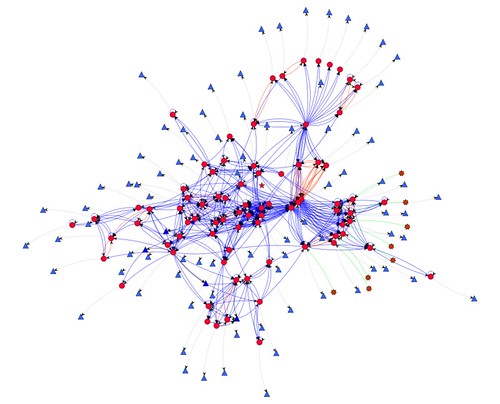
Of primary importance always is the people network that is at the heart of your PLN. If your tools provide a connected network report it should be used regularly to check the effectiveness and reach of your PLN. It is the people and the links to their artifacts that form the core of your learning.

Usually the amount of information generated by your PLN is excessive and a strategy for winnowing out the gems is needed with the help of yet more curation tools, another category of tool that must be investigated.