Showing posts with label Cloud life. Show all posts

14 February 2015

Breaking the Apple/Telstra Nexus

Like many of my friends and colleagues over the last 7 years I used iPhones 3, 4 and 5 on Telstra 24-month plans with varying upfront payments. iPhones 3 and 4 suffered from the barely tolerable intermittent home button problem and iPhone 5 from the increasingly intolerable battery fail problem.

During my iPhone 5 ownership it became clear that Android and Android phones can match and sometimes exceed the iPhone performance. As well my average of 50 minutes of calls and 20 SMS messages per month meant I was significantly overpaying in my $55-70/month Telstra plans, and had to live with a meagre 1 GB of monthly data - very restricting. When Telstra's hugely expensive iPhone 6 plans were announced it was time to search for much better value for money. I was also determined never to be manacled to a 24-month contract again which meant the upfront purchase of an unlocked phone.

I researched iPhone 6 Plus equivalents (from among Samsung, Google, HTC, Sony, Motorola) and eventually settled on a 16 GB LG G3 which has equal or superior hardware specifications. The screen resolution, SD card and camera are the standouts for me. Since I keep the vast majority of my content in the cloud I always choose the phone with the lowest memory (and lowest price). With iPhones 3 and 4 this worked well but the Apple faux pas with the memory-hungry iOS 8 upgrade meant I had to delete some stuff from the iPhone 5 - really annoying.

The outright purchase price of my LG G3 was $499 as opposed to $969 for the iPhone 6 Plus (Kogan prices). Then it needed a shop around for pay-as-you-go bring your own phone plans which can be cancelled in any month. All major carriers and MVNOs offer prepaid plans. I looked at Telstra, Optus, Vodafone, Amaysim (used for my mobile hotspots), Aldimobile and others. My phone usage is data heavy and voice/SMS light. I effectively use it as a handheld device for accessing Internet services like email, web, news, social media, Skype and a big range of other services. Most prepaid plans emphasize voice/SMS with pitiable data allowances.

I eventually settled on the 4G Spintel service (uses Optus) shown on the left where you can choose the mix of voice, text and data to suit your needs.  Compare the $86/month Telstra iPhone 6 Plus plan which, had I followed the herd, I might be using now. It allows $550 voice, unlimited text and 1 GB data - unsuitable for my needs. The relative costs over 24 months are:

After 9 months I will be ahead in expenditure with the option to switch to a new phone and/or a new carrier. The phone came with Android 4.4 but was updated over the air just after Christmas to Android 5.0 Lollipop which was welcome.

I am 3 months along this trajectory, very much enjoying the phone and thinking of lowering my monthly cost as I predicted I am using only about 15% of my voice minutes and about 10% of my SMS. Typically using the phone's hotspot from other devices in the last days of the month I have been consuming just over 90% of my data. I would like more data but after 2.5 GB Spintel charges $15/GB or part thereof. I prefer to wait until later in the year when my second choice carrier Amaysim will have 4G and their $44/month includes 5 GB data with unlimited voice and SMS.

Yes, there are downsides. Five weeks of my trial have been in Tasmania where Optus signal very occasionally is absent (that can also happen with Telstra although rarely). The G3 has no fingerprint reader but I find the knock code feature a great substitute.

I am extremely happy and my initial nervousness with adopting Spintel has been completely dispelled. Therefore I thoroughly recommend my LG G3/Spintel combination.

05 August 2014

Vitam in nubem

For many computer users living in the cloud has been possible for some time. Academic Jeff Jervis is a regular on one of my favourite podcasts, This Week in Google. In a recent post La Vita Cloudy on his Buzzmachine blog Jeff proudly announces he has moved entirely into the cloud. As a fellow academic now retired, but from the computer science discipline, I commend his move and predict the cloud will meet all his computing needs.

What I find puzzling are the doubts expressed by Jeff's podcast colleagues (Leo and the talented Gina). As a computer scientist I deemed it very clear that the cloud would become the obvious work environment for the big majority of computer users. More than 5 years ago in 2006 at a local Barcamp (Working in the Cloud Update) I was voicing this view. When the Chromebook was announced in May 2011 it was clear to me that I could recommend it as the all-purpose machine for most people wanting a computer keyboard. At that time I predicted Chromebooks Take Us Closest So Far to a Post-PC Era. I couldn't buy a Chromebook in Australia until early 2013 but in July 2011 I was very annoyed at the many blinkered reviews, Many Chromebook Reviews So Short-Sighted. At the time I listed the Chromebook shortcomings as:

  • No Bluetooth
  • Difficult printing
  • No Skype
Even then the positives far outweighed this list. As of today only the last remains and Google+ Hangouts is a good substitute.

I do have to admit to Jeff that I am yet to go the whole hog myself. In hindsight I could have published my first Kindle book The Cloud and You entirely on my Chromebook but chickened out as I explained in Publishing in the Cloud. At this point too I have to agree with Leo that creating and editing the videos for my first MOOC also called The Cloud and You can not currently be done productively in the cloud. Even allowing for Internet bandwidth limitations I strongly believe such a task will be possible in the cloud very soon as video cloud editing apps do already exist.

With a Chromebook Jeff believes he is free of Microsoft and Apple. I think he will find this will not be such a clean break. Microsoft Office Online for example runs just great on a Chromebook and will likely handle a publisher's weird Word book template much better than Google Docs. An Office 365 subscription might still brings benefits and, who knows, Office might even become available as a set of dedicated Chrome apps!

So good luck Jeff. I am close behind you but not an absolutely pure cloudy just yet.

01 June 2014

Sad tale of a promising City of Gold Coast mobile app

Looks like the app I need to report trees obstructing view of road crossing from a footpath.


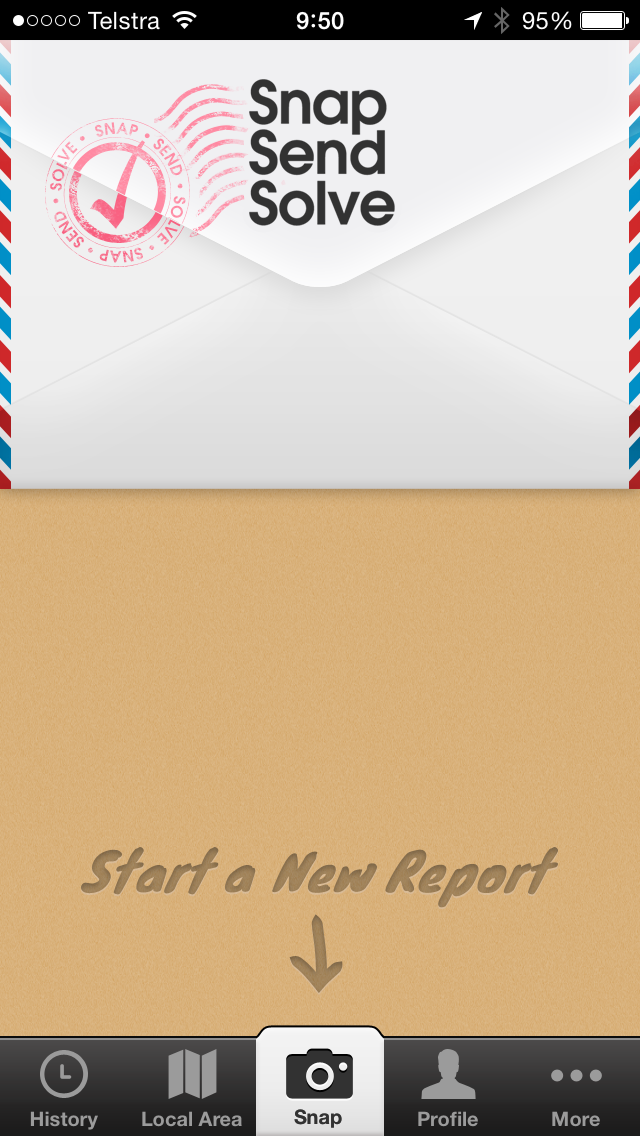
Pretty app and a simple big button to submit a report.
Take a photo, type a simple description and touch submit. The app adds the detailed location and sends it to the council. Great!
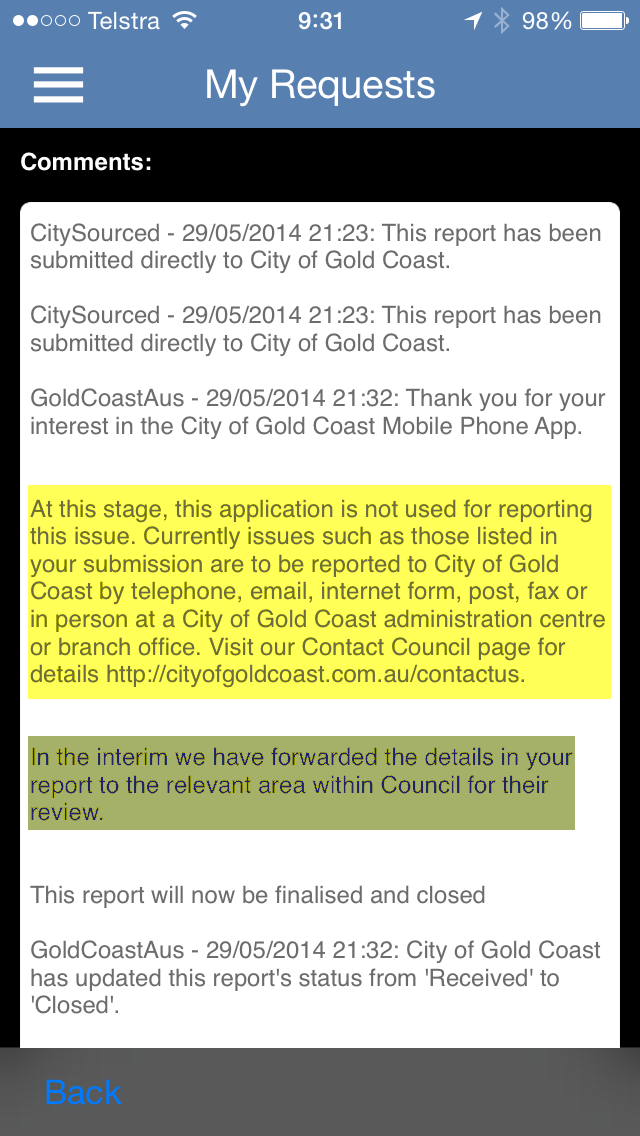
Next day the council replies - impressive response.

The bad news is this app doesn't cover this very common issue.

The good news is they have passed on the issue to the 'relevant area'.

#partialfail

I have used this SnapSendSolve app all over Australia to report issues to councils, even a few times here on the Gold Coast. The app creates the report email and knows where to send it by the current location.

A couple of times I have used this app to report overhanging trees on footpaths/cycle paths to the GCCC and they have responded well every time.

Come on GCCC, surely your own app can come to the party!

23 May 2014

Buffer overflows and collapses

As a keen social media citizen I have been using social sharing Buffer service free account quite happily for many months. I routed information gems to Buffer mainly from my preferred Feedly RSS aggregator and news reading service. At convenient scheduled times Buffer releases these updates to my Twitter, LinkedIn and Google+ CloudScholar page. My tweets are automatically repeated on my Facebook news stream for my diminishing friends list on that service.

Suddenly last week Buffer started sending unsubtle messages:
You've completely filled the buffer for the individual plan, nice work! Upgrading to Awesome gets you more space...
So no more buffering for me as I can't possibly justify paying US$102/year for their 'awesome' service. I realise they operate a freemium business model but just terminating the free service after a fixed number of updates seems severe. I won't have started using Buffer had I known this limitation at the start.

Fortunately the currently free IFTTT service glues together much of the world's social media services. As it has done for several of my acquaintances IFTTT has provided a reasonably smooth equivalent to my lost Buffer service. Using an IFTTT recipe that repeats any of my tweets with a chosen hashtag, #cast in my case, to LinkedIn. I now have Twitter, LinkedIn and Facebook covered. Feedly provides the same quick link to generate tweets as it did for Buffer so convenience is not sacrificed.

I have admit that so far IFTTT has not been able to send a tweet to my Google+ Cloudscholar page. If anyone knows how to achieve this please comment below.

Overall I am quite happy with my switch to IFTTT.

21 May 2014

Telstra to crowdsource Wi-Fi across Australia

In a game-changer for users of the Cloud in Australia we see plans from Telstra for a nationwide and international Wi-Fi network. While not a free service, users are charged on their own broadband plan provided they opt to share part of their own Wi-Fi service in a secure way.

The Telstra service incorporates technology from Spain's Fon who offer a global Wi-Fi sharing network. It appears that Telstra will add about 8,000 new Wi-Fi hotspots in high usage locations across the country.
For Cloud users this is very good news as in principle it frees users from relying solely on mobile phone networks hotspots to access the Internet while away from home or work. Read more details in the post from GigaOM. Because of the lack of copper in the ground for my landline service I am forced to use the Telstra cable internet service. I can't wait to sign up.

05 May 2013

My GrannyBook Raspberry Pi Emerges

At the first MakerCamp on the Gold Coast we were asked to suggest a project we were working on. I suggested I would like to make a GrannyBook based on the Raspberry Pi, the $35 computer I estimated would do the job. Loosely defined, my idea is for a very cheap device, under $100, that would allow your granny to turn her old Windows XP box into something akin to a Chromebook. In other words any person with an obsolete PC that still works could throw out their old processor box and replace it with a small device that would boot straight to a browser within which all normal use of a computer could be conducted - a very cheap and easy cloud computer.

I duly purchased a $60 the Raspberry Pi kit from Steve at Gold Coast Techspace which included the Raspberry Pi board, an SD card completely configured with the OS and an HDMI cable. On eBay Australia I bought a clear acrylic case for less than $10. To use my existing monitor I had to add a $5 HDMI to DVI adapter. Finally with another eBay purchase from the shop that supplied the case I added a $10 Comfast Wi-Fi adapter rather than use the built-in Ethernet port. In total this amounted to a $85 investment.

After plugging in a USB keyboard I added a standard non-powered USB adapter to take a USB mouse and the Comfast Wi-Fi adapter. Then came the big moment of the first boot and true to form the RPi within about 15 seconds opened in the desktop having determined the monitor resolution perfectly. To my surprise and delight there were drivers present for the Comfast Wi-Fi adapter and I simply had to login to my home Wi-Fi network.

The on-board Midori browser fired up perfectly and I logged in to my Google account. Thereafter I was in the usual Google wonderland with access to email, calendar, sites, blog, and all the other goodies - in other words a good approximation to a Chromebook.

The inevitable downsides are present:

  • the less than lightning speed of the boot sequence compared to a real Chromebook
  • the pauses as web pages are loaded in the browser although performance overall is very adequate
  • the lack of Google Chrome and associated plugins, but further investigation might solve this
Nevertheless for a very small investment and an hour of my time I am well on the way to a viable GrannyBook. More anon.

06 February 2013

Netbooks live on in Chromebooks

I loved netbooks and actually still use my Samsung N210 occasionally. Over a period of 4 years I owned 3 models of Eee PCs, an HP (free at a Microsoft conference) and the trusty Samsung. Yes they were slow and all but the Samsung keyboards dodgy, but they were small, light and rugged (great for conferences/meetings). You could also buy 3 or 4 netbooks for one laptop. Being a cloud fanatic my latter netbooks interacted with my documents and data online, the browser being my most used locally installed app.

As I suggested almost 2 years ago we now have Chromebooks with the same form factor (although as a consumer I can’t buy an Australian version yet). They are much, much more responsive, more secure and allow you (force you) to live in the cloud.

hpchromebookA significant number of manufacturers are jumping on the Chromebook bandwagon. With the announcement of the HP Pavilion Chromebook we see the screen size grow to a weighty 14 inches. Such developments are starting to scare the tablet- and smartphone-toting users, see Jared Newman’s Time article entitled ‘Please, Chromebooks, Don’t Turn into PCs‘. He gives a good summary of Chromebooks available in the US when talking about the HP Chromebook:

The device is available now for $330. That’s pricier than some other Chromebooks like Samsung’s Series 3 ($250) and Acer’s C7 ($200), but cheaper than the Samsung Series 5 550 ($450), which is far and away the best of the bunch. Lenovo makes a rugged $429 Chromebook, but it’s for schools only.

It is definitely time for the Chromebook naysayers to wake up. I can’t wait to order one of the above.

22 March 2012

Are You a Knowmad?

cloudsIn Invisible Learning, John Moravec and Cristóbal Cobo, define a knowmad or nomadic knowledge and innovation worker as a creative, imaginative, and innovative person who can work with almost anybody, anytime, and anywhere.

In a post John lists the 9 characteristics of knowmads:

  1. Are not restricted to a specific age.
  2. Build their personal knowledge through explicit information gathering and tacit experiences, and leverage their personal knowledge to produce new ideas.
  3. Are able to apply their ideas and expertise contextually in various social and organizational configurations.
  4. Are highly motivated to collaborate, and are natural networkers, navigating new organizations, cultures, and societies.
  5. Purposively use new technologies to help them solve problems and transcend geographical limitations.
  6. Are open to sharing what they know, and invite the open access to information, knowledge and expertise from others.
  7. Develop habits of mind and practice to learn continuously, and can unlearn as quickly as they learn, adopting new ideas and practices as necessary.
  8. Thrive in non-hierarchical networks and organizations.
  9. Are not afraid of failure — and see their failures as learning opportunities.

Are you a knowmad? While I have worked in hierarchical organisations all my working life, participating in social networks have shown I can adapt to to loose networks without structure. I reckon I am pretty close to a knowmad.