01 June 2015

An embarrassing surfeit of forward

I celebrate 50 years of computer use this year. In all that time of dealing with computer character sets I and my fellow computer users have been using the word 'slash' for the '/' character, technically a solidus, and a very ancient character from ancient Rome. We can blame Microsoft for widening the use of the backslash character '\' in the 1980s for DOS file paths although backslash itself dates from the 1960s.

For a couple of decades happy computer users in the main used slash and backslash as the common names for the two characters. Then in the late 1990s, as web page addresses that use slashes became popular, TV announcers took it upon themselves to start using the term 'forward slash' for '/' much to my extreme annoyance. I would dearly love to know who in the TV industry perpetrated this calumny that sadly persists to this day showing no sign of lessening.

How many millions nay billions of surplus uses of 'forward' have been forced on TV viewers in the last two decades? Let us all agree to ban 'forward slashes' and drop the 'forward'.

21 March 2015

Liquid foods

At Barcamp Gold Coast this morning I attended a talk about liquid food typified by the well-known solvent. When your nutrition is in balance there is a perceptible increase in your physical feeling of wellbeing which leads to a more contented life.

The speaker Mike Ando freely admitted though that the number one benefit of liquid foods is the saving of time. Giving the example of two liquid meals a day this can amount to almost a month of full-time work each year.

This was definitely food for thought!

I later tried a liquid food prepared by the speaker with a chocolate flavour. The base taste of liquid fibre was improved by the chocolate. I found the very small cup remarkably filling, although I had just consumed a large cookie. I will definitely be checking out the recipes for liquid foods at http://diy.soylent.me/

14 February 2015

Breaking the Apple/Telstra Nexus

Like many of my friends and colleagues over the last 7 years I used iPhones 3, 4 and 5 on Telstra 24-month plans with varying upfront payments. iPhones 3 and 4 suffered from the barely tolerable intermittent home button problem and iPhone 5 from the increasingly intolerable battery fail problem.

During my iPhone 5 ownership it became clear that Android and Android phones can match and sometimes exceed the iPhone performance. As well my average of 50 minutes of calls and 20 SMS messages per month meant I was significantly overpaying in my $55-70/month Telstra plans, and had to live with a meagre 1 GB of monthly data - very restricting. When Telstra's hugely expensive iPhone 6 plans were announced it was time to search for much better value for money. I was also determined never to be manacled to a 24-month contract again which meant the upfront purchase of an unlocked phone.

I researched iPhone 6 Plus equivalents (from among Samsung, Google, HTC, Sony, Motorola) and eventually settled on a 16 GB LG G3 which has equal or superior hardware specifications. The screen resolution, SD card and camera are the standouts for me. Since I keep the vast majority of my content in the cloud I always choose the phone with the lowest memory (and lowest price). With iPhones 3 and 4 this worked well but the Apple faux pas with the memory-hungry iOS 8 upgrade meant I had to delete some stuff from the iPhone 5 - really annoying.

The outright purchase price of my LG G3 was $499 as opposed to $969 for the iPhone 6 Plus (Kogan prices). Then it needed a shop around for pay-as-you-go bring your own phone plans which can be cancelled in any month. All major carriers and MVNOs offer prepaid plans. I looked at Telstra, Optus, Vodafone, Amaysim (used for my mobile hotspots), Aldimobile and others. My phone usage is data heavy and voice/SMS light. I effectively use it as a handheld device for accessing Internet services like email, web, news, social media, Skype and a big range of other services. Most prepaid plans emphasize voice/SMS with pitiable data allowances.

I eventually settled on the 4G Spintel service (uses Optus) shown on the left where you can choose the mix of voice, text and data to suit your needs.  Compare the $86/month Telstra iPhone 6 Plus plan which, had I followed the herd, I might be using now. It allows $550 voice, unlimited text and 1 GB data - unsuitable for my needs. The relative costs over 24 months are:

After 9 months I will be ahead in expenditure with the option to switch to a new phone and/or a new carrier. The phone came with Android 4.4 but was updated over the air just after Christmas to Android 5.0 Lollipop which was welcome.

I am 3 months along this trajectory, very much enjoying the phone and thinking of lowering my monthly cost as I predicted I am using only about 15% of my voice minutes and about 10% of my SMS. Typically using the phone's hotspot from other devices in the last days of the month I have been consuming just over 90% of my data. I would like more data but after 2.5 GB Spintel charges $15/GB or part thereof. I prefer to wait until later in the year when my second choice carrier Amaysim will have 4G and their $44/month includes 5 GB data with unlimited voice and SMS.

Yes, there are downsides. Five weeks of my trial have been in Tasmania where Optus signal very occasionally is absent (that can also happen with Telstra although rarely). The G3 has no fingerprint reader but I find the knock code feature a great substitute.

I am extremely happy and my initial nervousness with adopting Spintel has been completely dispelled. Therefore I thoroughly recommend my LG G3/Spintel combination.

11 October 2014

A logo update

This is part of my personal history with only a small connection to the Cloud, but readers might find some interest if only to parallel their own experiences of logo creation.

In the early 90s I created a personal logo with a drawing program whose name is lost to me. I subsequently named it Dotdolfin as it was intended to be my rendering of indigenous dot art. The dolphin foundation was suggested as we had just named an innovative system of networked workstations from DEC as Kowande. This is the name of the dolphin spirit of Kowande an elder of the local Kombumerri tribe who reside here on the Gold Coast. A colleague, Renato Iannella, had just created a dolphin logo for our Kowande system and I rendered a dot art version of it. At the time I was proud I did not use circles for the dots but rather drew out a an irregular outline to simulate the end of a real stick used by the genuine dot artists. I remember the Mac struggled to refresh the display qjuickly after I had placed the first hundred of the dot shapes! Designing after that was difficult.

I even had a WordPress web site based on the logo called dotdolfin.com which is no more, but the out of date contents live on at dotdolfin.wordpress.com. As is the way of software the drawing program and its format are long gone and all I have are .jpg and .gif versions of my dotdolfin logo. A few weeks ago I was taken with a post entitled 'How to Create Illustrated Characters in PowerPoint' and eventually tried the technique myself. The smooth curve tool in PowerPoint turned out to be so simple and productive it has become my creative medium of choice. In less than an hour I have created my new logo suitably named Cloud Dolfin. You can see the new and the old:

Cloud dolfin

Dotdolfin

I am hoping the PowerPoint format will survive much longer into the future so that I don't have to worry about updating again now that I am retired.

05 August 2014

Vitam in nubem

For many computer users living in the cloud has been possible for some time. Academic Jeff Jervis is a regular on one of my favourite podcasts, This Week in Google. In a recent post La Vita Cloudy on his Buzzmachine blog Jeff proudly announces he has moved entirely into the cloud. As a fellow academic now retired, but from the computer science discipline, I commend his move and predict the cloud will meet all his computing needs.

What I find puzzling are the doubts expressed by Jeff's podcast colleagues (Leo and the talented Gina). As a computer scientist I deemed it very clear that the cloud would become the obvious work environment for the big majority of computer users. More than 5 years ago in 2006 at a local Barcamp (Working in the Cloud Update) I was voicing this view. When the Chromebook was announced in May 2011 it was clear to me that I could recommend it as the all-purpose machine for most people wanting a computer keyboard. At that time I predicted Chromebooks Take Us Closest So Far to a Post-PC Era. I couldn't buy a Chromebook in Australia until early 2013 but in July 2011 I was very annoyed at the many blinkered reviews, Many Chromebook Reviews So Short-Sighted. At the time I listed the Chromebook shortcomings as:

  • No Bluetooth
  • Difficult printing
  • No Skype
Even then the positives far outweighed this list. As of today only the last remains and Google+ Hangouts is a good substitute.

I do have to admit to Jeff that I am yet to go the whole hog myself. In hindsight I could have published my first Kindle book The Cloud and You entirely on my Chromebook but chickened out as I explained in Publishing in the Cloud. At this point too I have to agree with Leo that creating and editing the videos for my first MOOC also called The Cloud and You can not currently be done productively in the cloud. Even allowing for Internet bandwidth limitations I strongly believe such a task will be possible in the cloud very soon as video cloud editing apps do already exist.

With a Chromebook Jeff believes he is free of Microsoft and Apple. I think he will find this will not be such a clean break. Microsoft Office Online for example runs just great on a Chromebook and will likely handle a publisher's weird Word book template much better than Google Docs. An Office 365 subscription might still brings benefits and, who knows, Office might even become available as a set of dedicated Chrome apps!

So good luck Jeff. I am close behind you but not an absolutely pure cloudy just yet.

01 June 2014

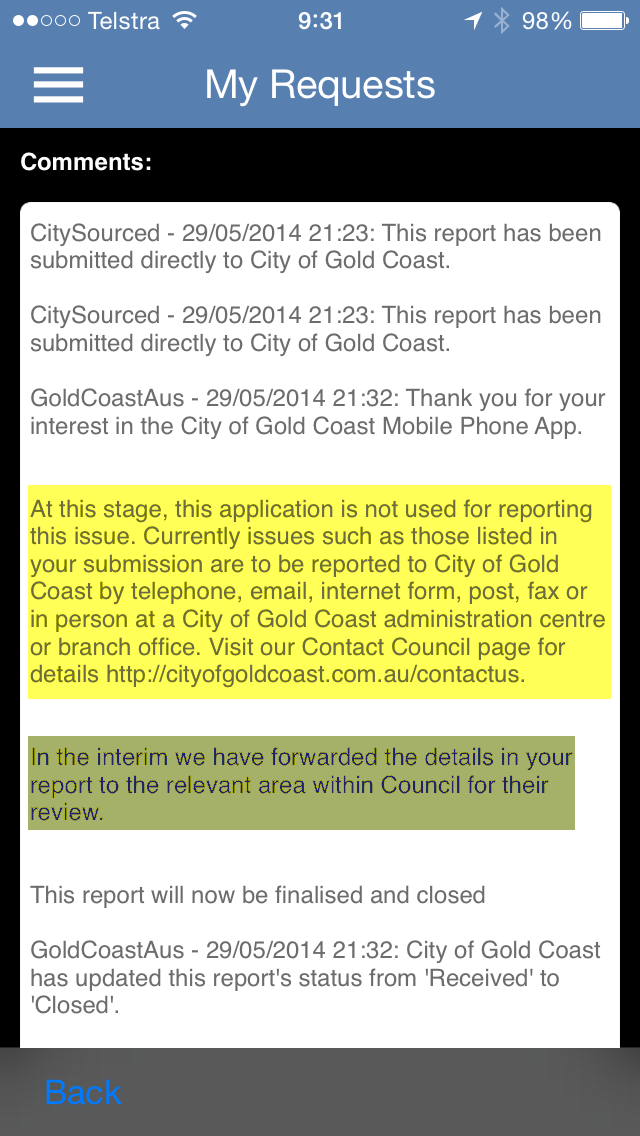
Sad tale of a promising City of Gold Coast mobile app

Looks like the app I need to report trees obstructing view of road crossing from a footpath.


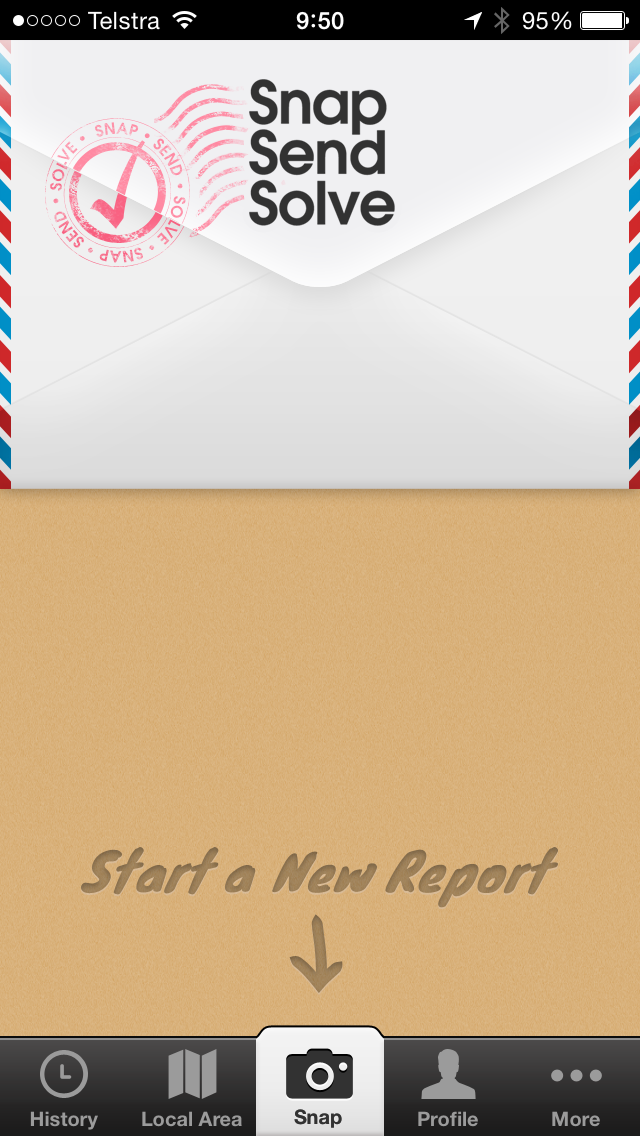
Pretty app and a simple big button to submit a report.
Take a photo, type a simple description and touch submit. The app adds the detailed location and sends it to the council. Great!
Next day the council replies - impressive response.

The bad news is this app doesn't cover this very common issue.

The good news is they have passed on the issue to the 'relevant area'.

#partialfail

I have used this SnapSendSolve app all over Australia to report issues to councils, even a few times here on the Gold Coast. The app creates the report email and knows where to send it by the current location.

A couple of times I have used this app to report overhanging trees on footpaths/cycle paths to the GCCC and they have responded well every time.

Come on GCCC, surely your own app can come to the party!

31 May 2014

Unwanted NineMSN Logo intrudes on OneDrive in Australia

I have been frequent user and supporter of OneDrive in Australia. A practical workshop appears in my first online course (MOOC) called The Cloud and You on Udemy.com. I had thought to create a more in-depth coverage of OneDrive in my second online course currently in planning.

Today I started experimenting with Camtasia screencasts of OneDrive to discover to my absolute dismay that the NineMSN logo/links appear at the top of the OneDrive, Outlook, People and Calendar components - definitely not something my international online students will want to see.
My first thought was that surely this display was optional but a short period of research showed these unwanted links are permanent when accessing OneDrive in Australia in any browser. This appears to be confirmed in the Microsoft community forum in the post 'Remove NineMSN Logo - Australia'. So disappointing. I have to hand it to Microsoft in the subtle positioning as it has taken me many months to spot it!

While the NineMSN logo is mercifully absent in the online apps for Word, Excel, PowerPoint and OneNote I won't be rushing to create my online course about OneDrive. So Google Apps/Drive here I come.